01 / Bouldering
Bouldering
Short sequences. Many goes. Record your problems and rests. Approach logging is optional.
Bouldering watch activityExplore a session ↗ rockstatsGet Rockstats
Record the climb on your wrist.
Keep the whole story on your phone.
 rockstats
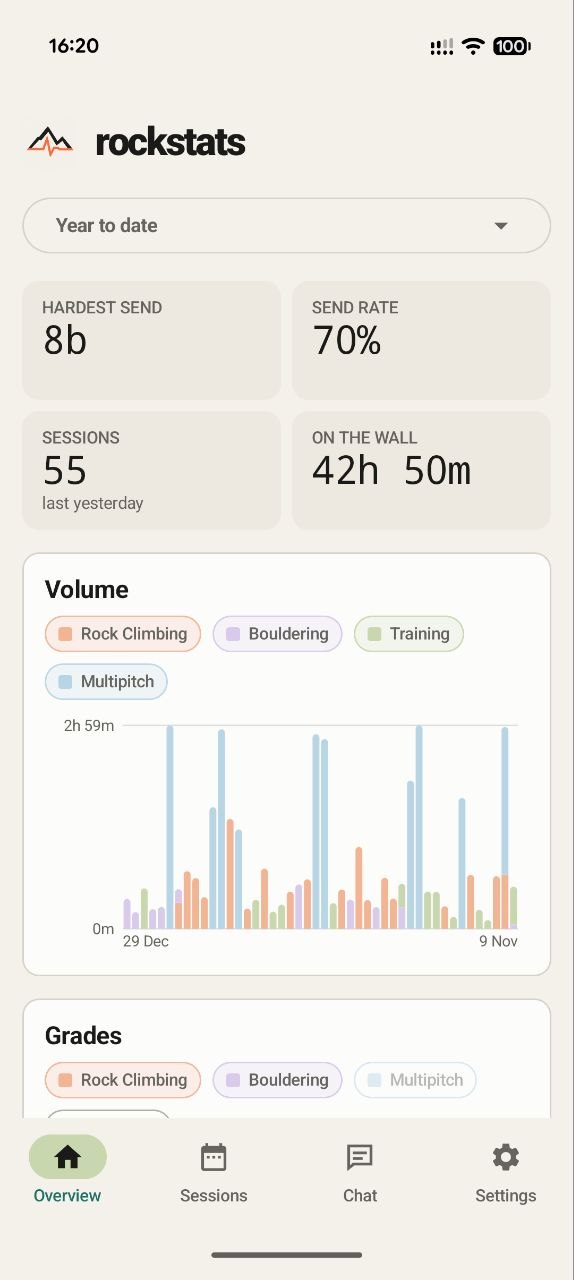
A day on the rope. A few moves on a boulder. Time spent training. Separate watch activities, together in your phone’s history.
Short sequences. Many goes. Record your problems and rests. Approach logging is optional.
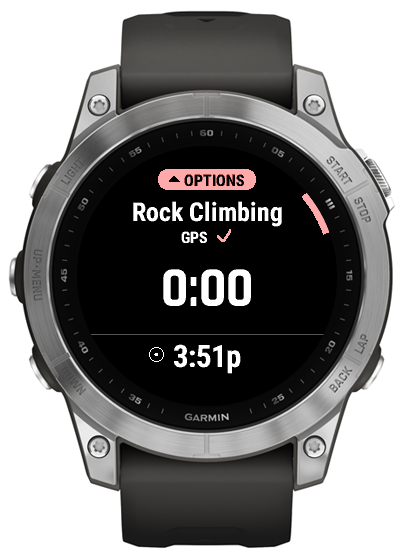
Bouldering watch activityExplore a session ↗
Record every send, with an optional approach to remember the whole day.
Rock Climbing watch activityExplore a session ↗
Keep track of your training sessions. See how the work between climbing days adds up.
Recorded as Climbing IndoorExplore a session ↗
Track pitch by pitch grades, rests and duration. Record the approach if you choose.
Multipitch watch activityExplore a session ↗Keep the essentials close on the watch. Take your time with the details on the phone. Personalise your charts and dashboards to focus on what matters to you. Explore below.
Keep your sends, attempts and route notes together. Approach logging is optional.
After climbing, describe the day in your own words. Rockstats compares your recap with the grades, attempts and timing recorded on your watch, then suggests which moments belong together.
“First I sent a 6a. Then I tried a 7c twice. I rested, came back and got a little further.”
You confirm or correct each match before it joins your session history.
What you need, what gets saved, and how your watch and phone work together.
Rockstats works with compatible Garmin watches and its phone app is coming soon for iPhone and Android. For watch sync, install and sign in to Garmin Connect Mobile and pair your watch.
Yes. Add route names and notes when you review your session, while the details are still fresh.
Approach logging is optional for bouldering, rock climbing and multipitch. You choose whether to record it.
No. It’s optional. You can record your climbing and add notes without it.
Rockstats uses AI models to recognise attempts and sends from your watch data, so each go is matched automatically. You review and confirm or correct each match before it joins your session.
Rockstats can sync vitals such as heart-rate variability (HRV), calories and recovery alongside your climbing sessions, so you can follow training and recovery in one place.
Yes. Rockstats uses Garmin Connect to bring the activities recorded on your watch into your phone history. Pair your watch in Garmin Connect Mobile first.
Yes. Rockstats can read exercise, heart-rate and calorie data from Google Health Connect on Android, and the equivalent on iOS (Apple Health), to bring your training and climbing together.
Rockstats connects with more climbing platforms coming soon, so you can bring your climbs and training together in one place.
The Rockstats phone app is coming soon for iPhone and Android. Get ready for your next session.
Find the Rockstats climbing activities for your compatible Garmin watch.
Find on Connect IQKeep your synced sessions, route notes and climbing history together on iPhone or Android.